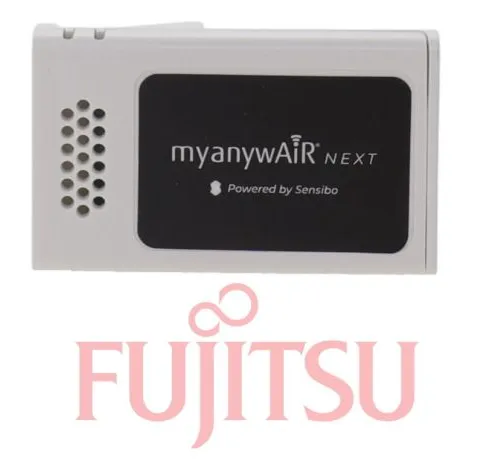
Fujitsu UTY-NXT-BOX & UTY-NXT-CAB anywAiR Wi-Fi Adaptor II Package
The Fujitsu UTY-NXT-BOX and UTY-NXT-CAB package provides the components required to add anywAiR Wi-Fi control to compatible Fujitsu General air-conditioning systems that cannot accept the Wi-Fi Adaptor II directly.
The UTY-NXT-BOX provides the wireless communication interface, while the UTY-NXT-CAB connects the adaptor to compatible indoor units requiring the additional connection cable. Once installed and configured, users can operate their air conditioner from a compatible smartphone or tablet through the myanywAiR Next app.
Package Includes
| Model Number | Component | Function |
|---|
| UTY-NXT-BOX | anywAiR Technology Wi-Fi Adaptor II | Connects the compatible air conditioner to the local wireless network |
| UTY-NXT-CAB | Wi-Fi adaptor connection cable | Connects the UTY-NXT-BOX to compatible indoor units requiring the additional cable |
Features
Complete Wi-Fi adaptor and connection-cable package
Remote air-conditioner control from a compatible smartphone or tablet
Uses the myanywAiR Next application
Allows control while at home or away from the premises
Compact adaptor designed for concealed installation with compatible indoor units
Suitable for selected Fujitsu General systems requiring the additional UTY-NXT-CAB
Retains normal operation from the air conditioner’s existing controller
Compatible with supported Apple iOS and Android devices
Useful for residential and light-commercial installations
Available App Functions
Depending on the connected air-conditioner model, available functions may include:
Switching the air conditioner on and off
Selecting heating, cooling, dry, fan or automatic operation
Adjusting the set temperature
Changing fan speed
Adjusting supported airflow settings
Creating operating schedules and timers
Monitoring operating status
Controlling the system remotely over an internet connection
Managing multiple compatible Fujitsu air conditioners from one app
Compatibility and Cable Requirements
| Indoor-Unit Type | UTY-NXT-BOX | UTY-NXT-CAB |
|---|
| Selected Lifestyle wall-mounted units with direct adaptor connection | Required | Generally not required |
| Compatible non-Lifestyle indoor units requiring a connection cable | Required | Required |
| Units with factory-integrated Wi-Fi | Not required | Not required |
| Unsupported or earlier-generation indoor units | Compatibility must be checked | Compatibility must be checked |
This package is specifically suited to installations where both the UTY-NXT-BOX adaptor and UTY-NXT-CAB connection cable are required.
Installation Requirements
The complete indoor-unit model number must be checked before ordering.
Compatibility varies between air-conditioner series and model generations.
The UTY-NXT-CAB must be connected to the correct indoor-unit communication port.
A compatible local Wi-Fi network and internet connection are required for remote access.
App registration and network configuration are required during commissioning.
Installation should be completed by a suitably qualified air-conditioning technician.
This package does not include an air conditioner, wired controller or zone-control system.
Typical Applications
Adding Wi-Fi control to compatible Fujitsu split systems
Upgrading selected non-Lifestyle indoor units
Residential air-conditioning systems
Offices and consulting rooms
Rental properties and holiday accommodation
Systems requiring remote operating access
Installations where the adaptor cannot connect directly without the UTY-NXT-CAB
Important Information
UTY-NXT-BOX is the Wi-Fi adaptor.
UTY-NXT-CAB is the additional connection cable and does not provide Wi-Fi control by itself.
The cable is not required on every Fujitsu General air conditioner.
Compatibility must be confirmed using the complete indoor-unit model number before ordering.
Available app functions can vary depending on the connected air conditioner.
Wi-Fi signal strength must be adequate at the indoor-unit installation location.
Sources: GENERAL Australia UTY-NXT official product page and Fujitsu UTY-NXT-BOX connection guidance